THE CHECKLIST APP FOR THE WAY YOU FLY
Every flight starts
with a check.
From first setup to final approach, Flight Check'd keeps the next step clear. Explore ready-to-use aircraft checklists or build your own.
For flight sim and personal useComing soon to the App Store · iPhone, iPad & Mac
where you left off
Always.
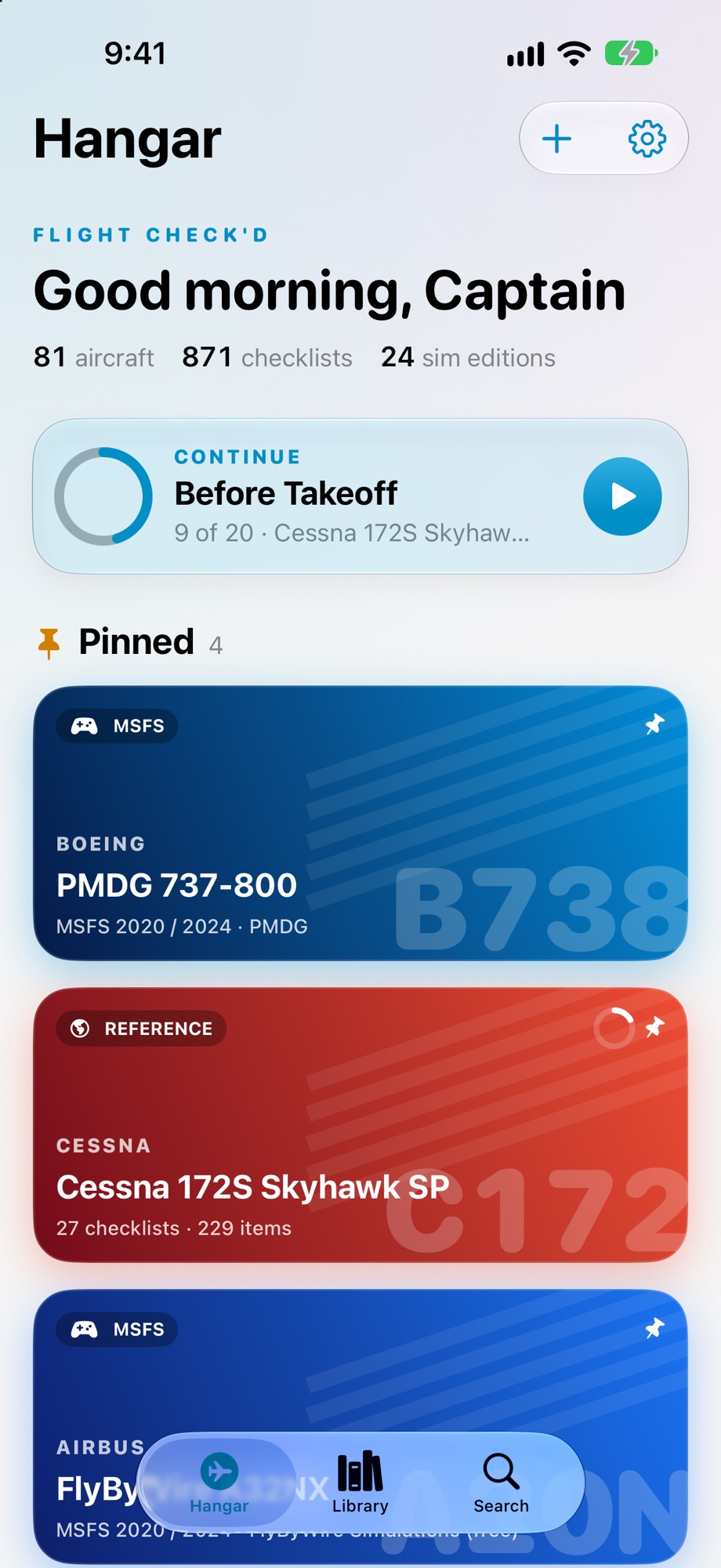
YOUR HANGAR, READY
BUILT FOR THE FLIGHT DECK
The right flow.
At the right time.
Everything you need to choose, run, and make a checklist your own—without breaking your rhythm.
FIND YOUR AIRCRAFT
From Cessna to Concorde.
Explore a library of aircraft and sim editions for Microsoft Flight Simulator, X-Plane, and DCS. Search aircraft, checklists, and individual items across the fleet.
- Pin favourites in your hangar
- Jump back into an unfinished checklist
- See V-speeds and limits at a glance
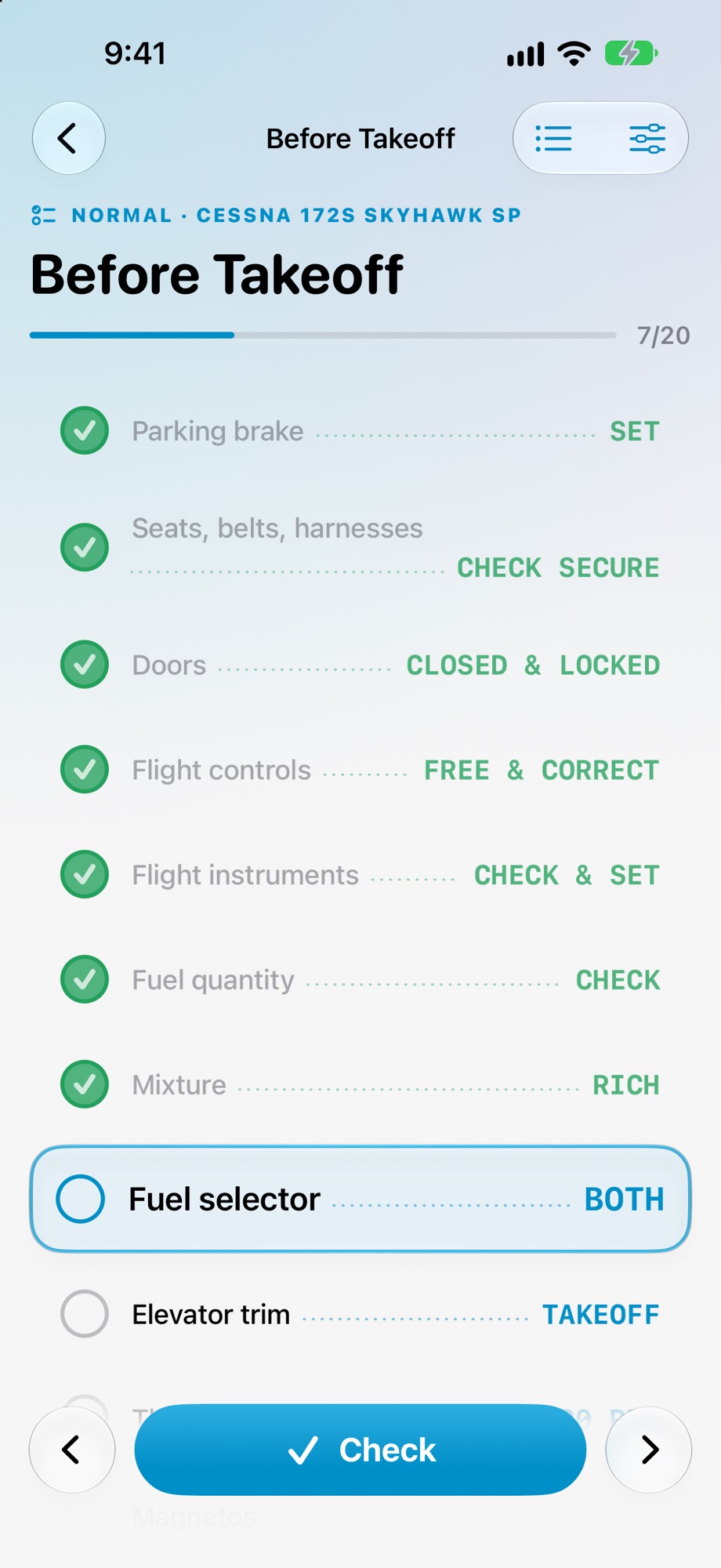
STAY IN THE FLOW
One item.
Full attention.
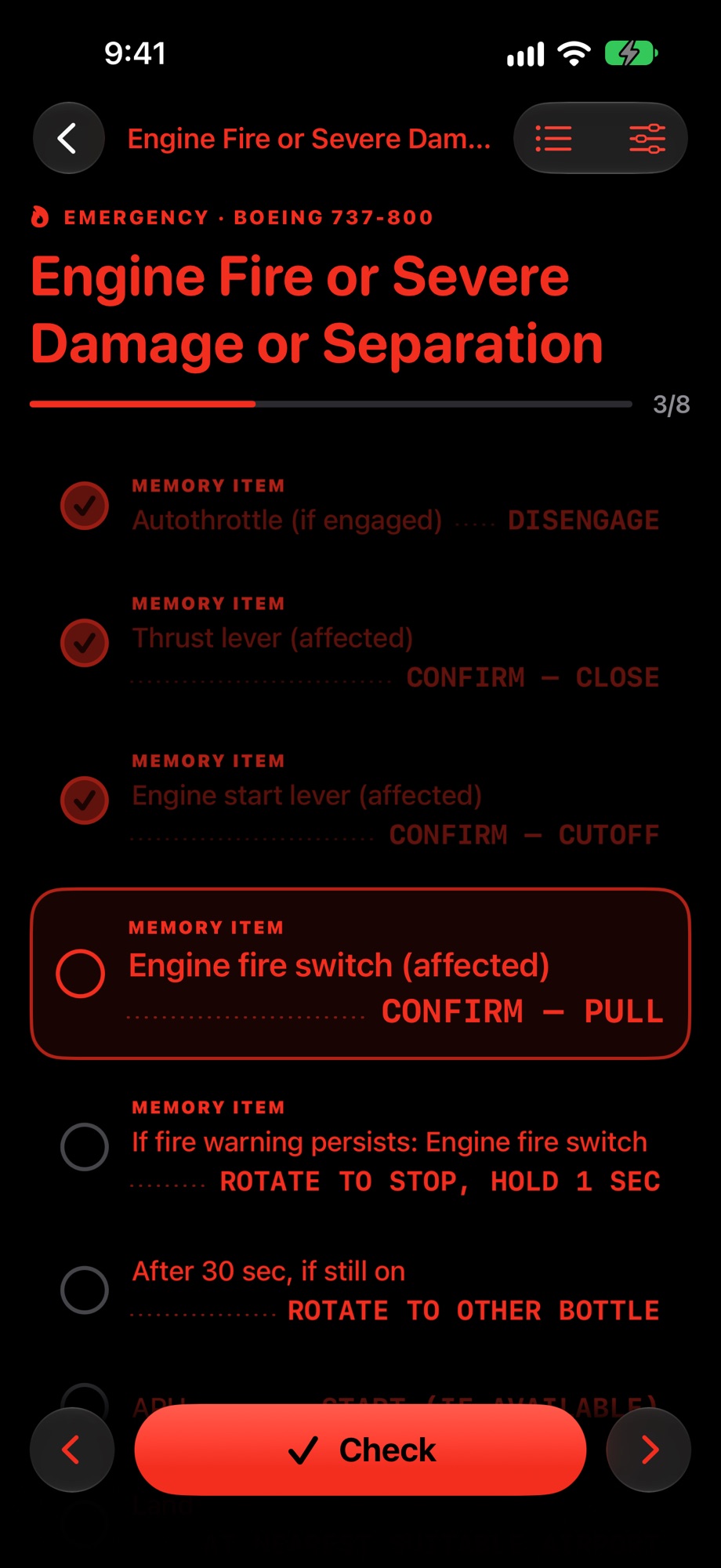
Work through clear challenge-and-response items with a tap or a key press. Voice callouts, saved progress, and a red night mode help the checklist fit your cockpit.
- One highlighted step at a time
- Voice callouts and hands-free-friendly controls
- Cautions, warnings, and memory items stand out
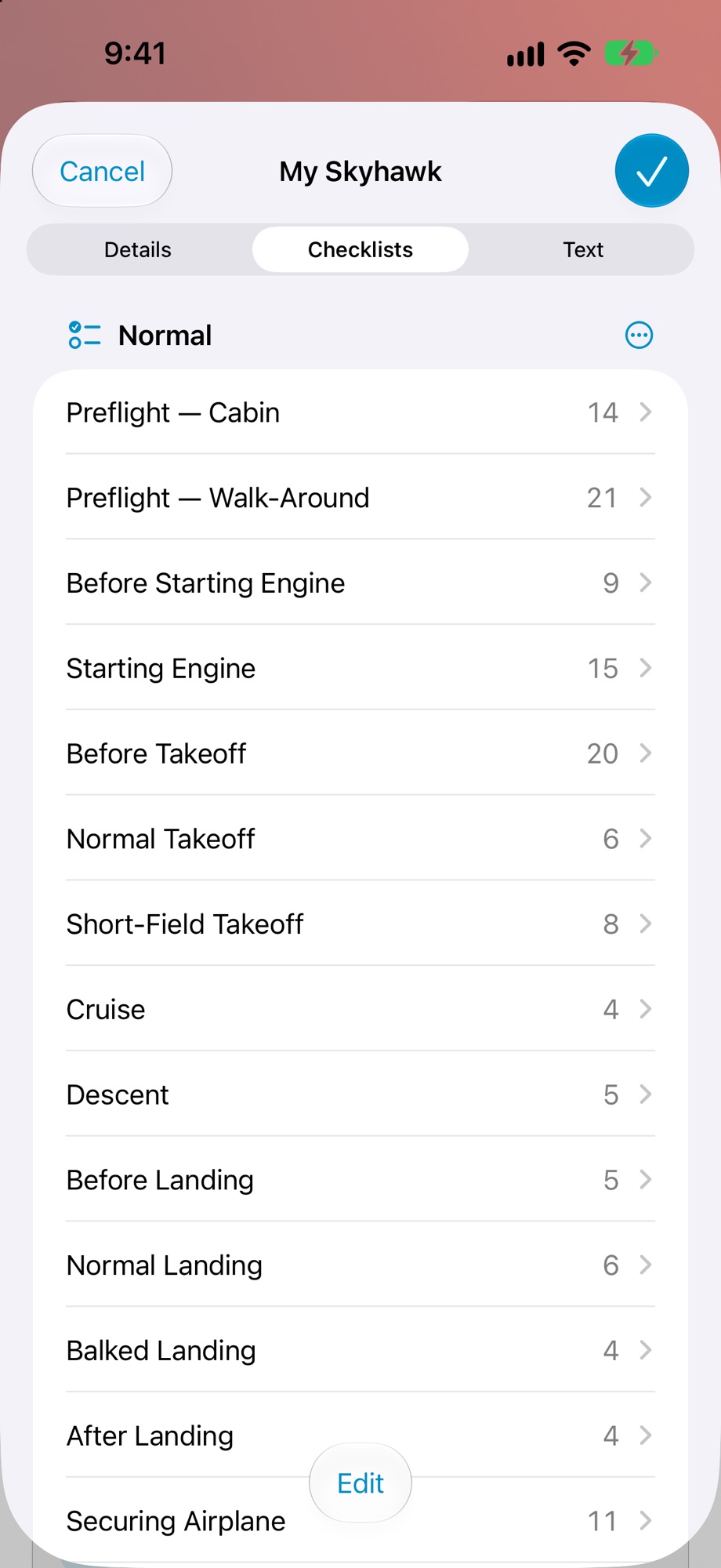
MAKE IT YOURS
Your aircraft.
Your checklist.
Start from a blank page, paste a plain-text checklist, or customize a copy from the library. Edit, reorder, import, and share .flightcheck files.
- A starter template or a blank checklist
- Quick edits and drag-to-reorder
- Share through AirDrop, Files, or Mail
HOW IT WORKS
Ready in three steps.
Choose a checklist, work through it, and return whenever you need to. Your progress stays with you.
- 01
Choose your aircraft
Open a reference aircraft or a sim-specific edition.
- 02
Run the checklist
Check each item as you go. The next step stays in focus.
- 03
Make it your own
Build, edit, import, and share checklists for your setup.
FLIGHT CHECK'D
Clear skies start
with a clear plan.
Spot a checklist error or have an idea? We read every report.
For flight simulation and personal use. Included checklists may contain errors and are not approved by aircraft manufacturers or aviation authorities. Always use approved documentation for actual flight operations.